 TurtleTask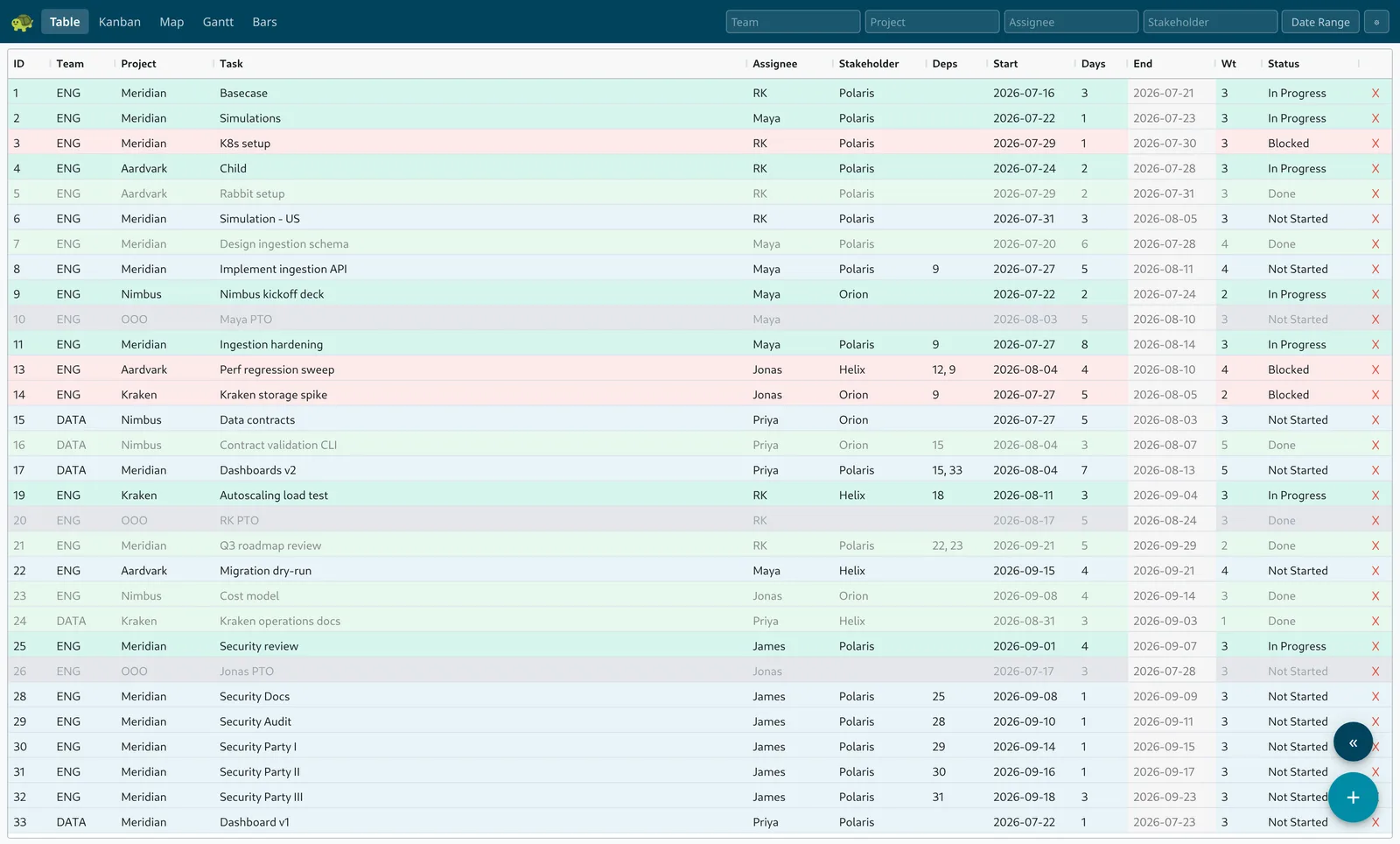
Every team has one: the shared spreadsheet that tracks who's doing what, and when. It works — until formulas break, dates drift, and nobody knows who changed what. TurtleTask keeps everything you liked about the spreadsheet and quietly fixes the rest.
Features
Five views of one plan
Edit in a familiar spreadsheet-style grid, move work across a kanban board, see dependencies as a living map, follow schedules on gantt timelines, and check capacity at a glance — five views of the same live plan, always in sync.
Draw the plan as a map
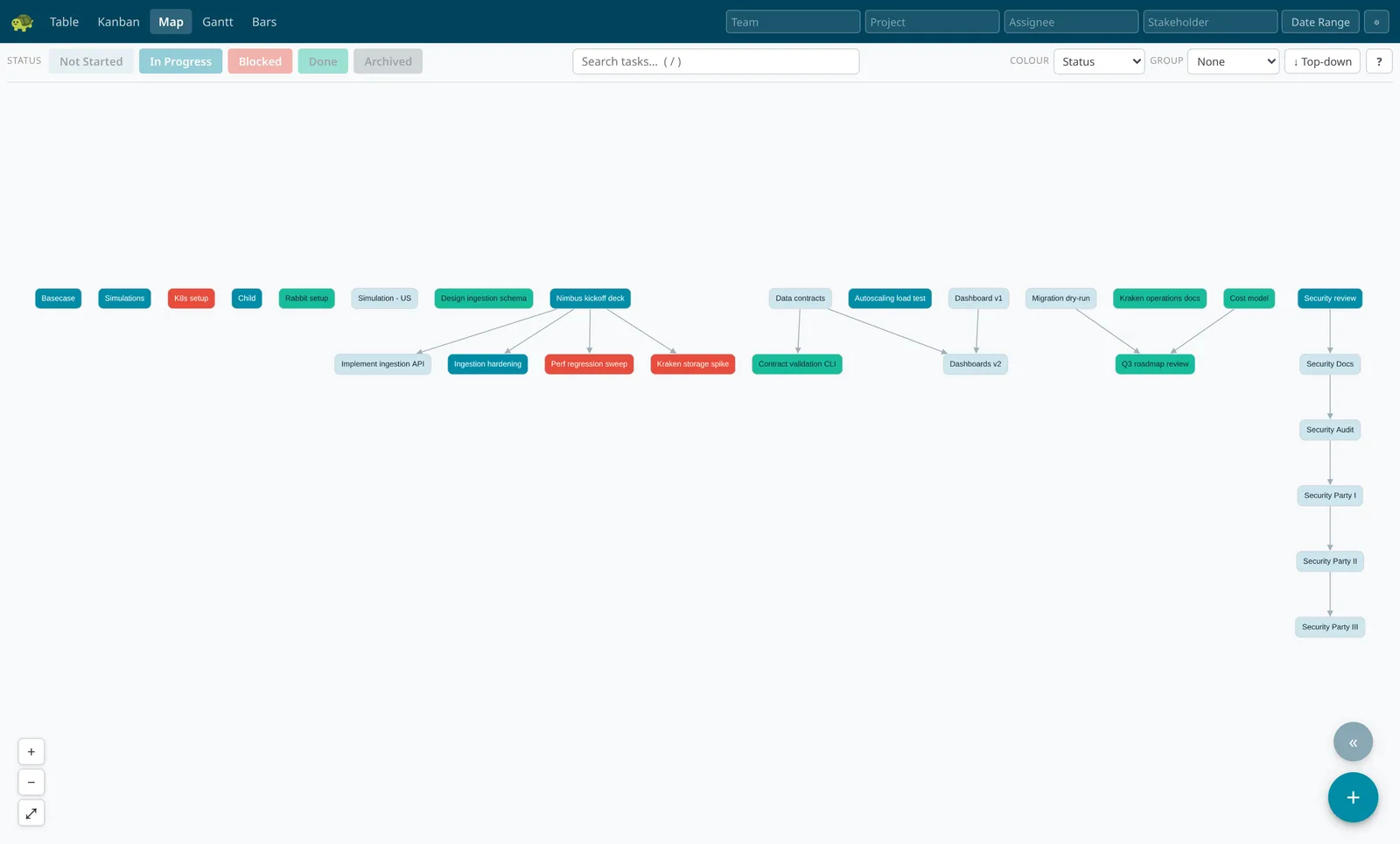
Every task is a card, every dependency an arrow. Drag from one task to another to connect them, set statuses with a click, and add follow-on work right where it belongs — the schedule keeps up as you sketch.
Plans in working days
Schedules are counted in working days, matching how your team already plans — and matching your old spreadsheet's numbers exactly. Weekends never inflate a timeline.
Reschedules itself
Move one task or change how long it takes, and everything that depends on it moves too — instantly, all the way down the chain. No formulas to maintain, no dates to chase.
Rewind to any date
Roll the entire plan back to any past moment and see exactly what it looked like then. Compare the schedule before and after a slip, or answer "what changed since the last steering meeting?" in two clicks.
The full story of every task
Every task carries its own discussion thread and a complete history of who changed what, and when. No more "who moved this date?"
Five views, one plan
Filter by team, project, person, or stakeholder — and by week, month, quarter, or year. Every view follows.
Table
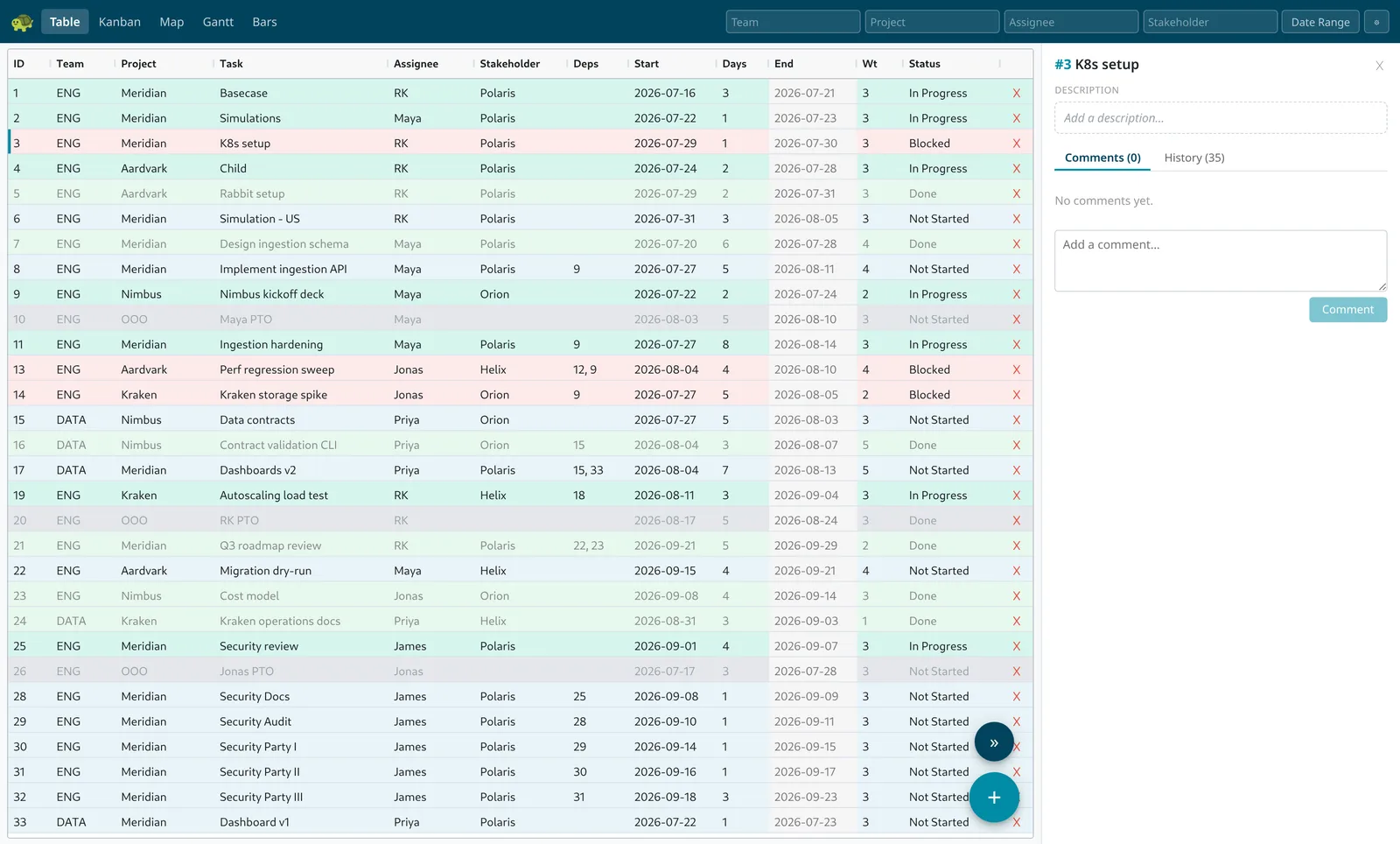
The view your spreadsheet users already know: edit the plan in a fast grid, with suggestions as you type and colour-coded statuses. Click any task to open its discussion thread and full change history.
Kanban
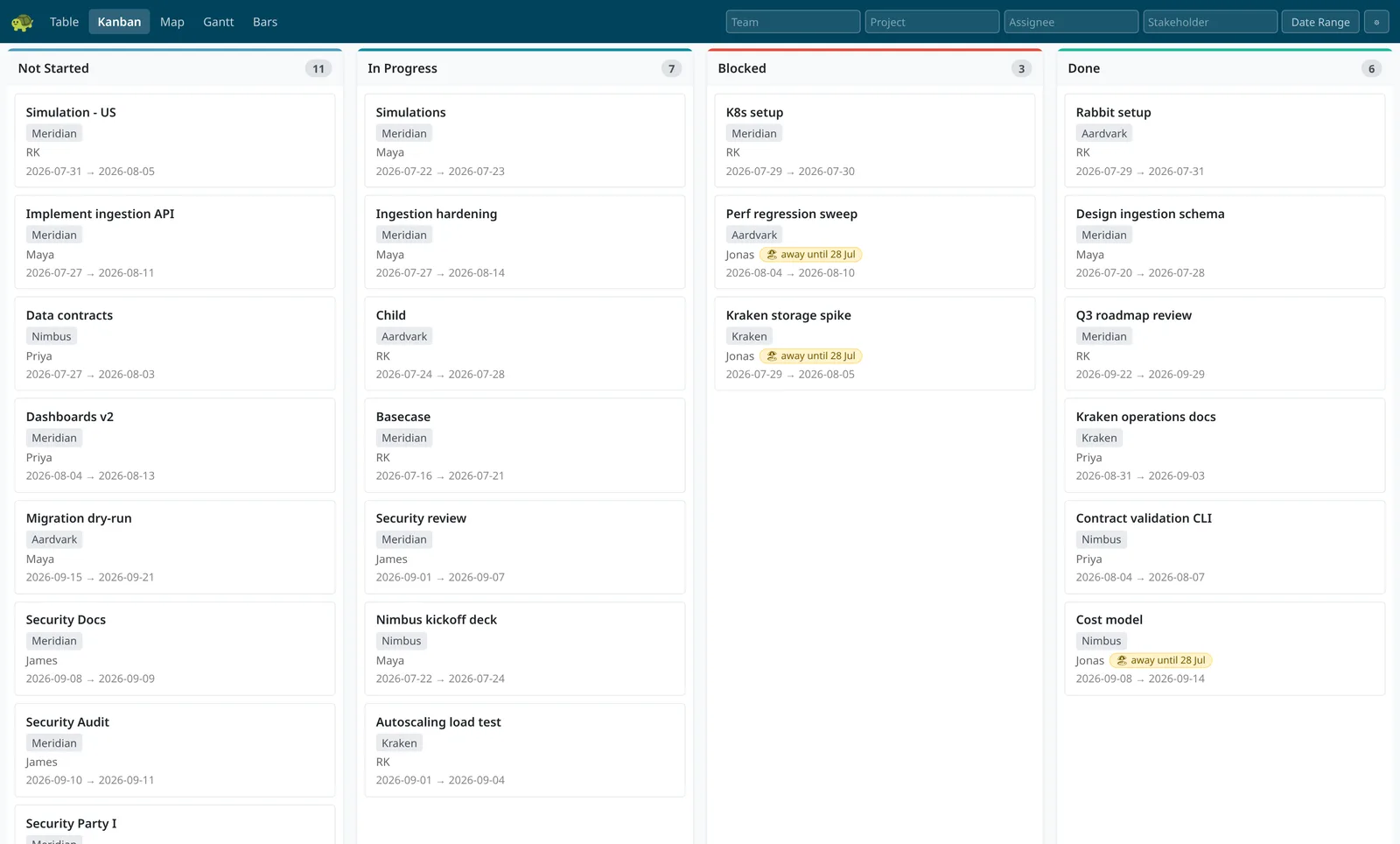
Drag work between Not Started, In Progress, Blocked, and Done. If someone is away today, their cards say so — "away until" their return date.
Map
The whole plan as a living map — every task a card, every dependency an arrow. Drag between tasks to connect them, set statuses from the toolbar, and add follow-on work exactly where it belongs.
Gantt
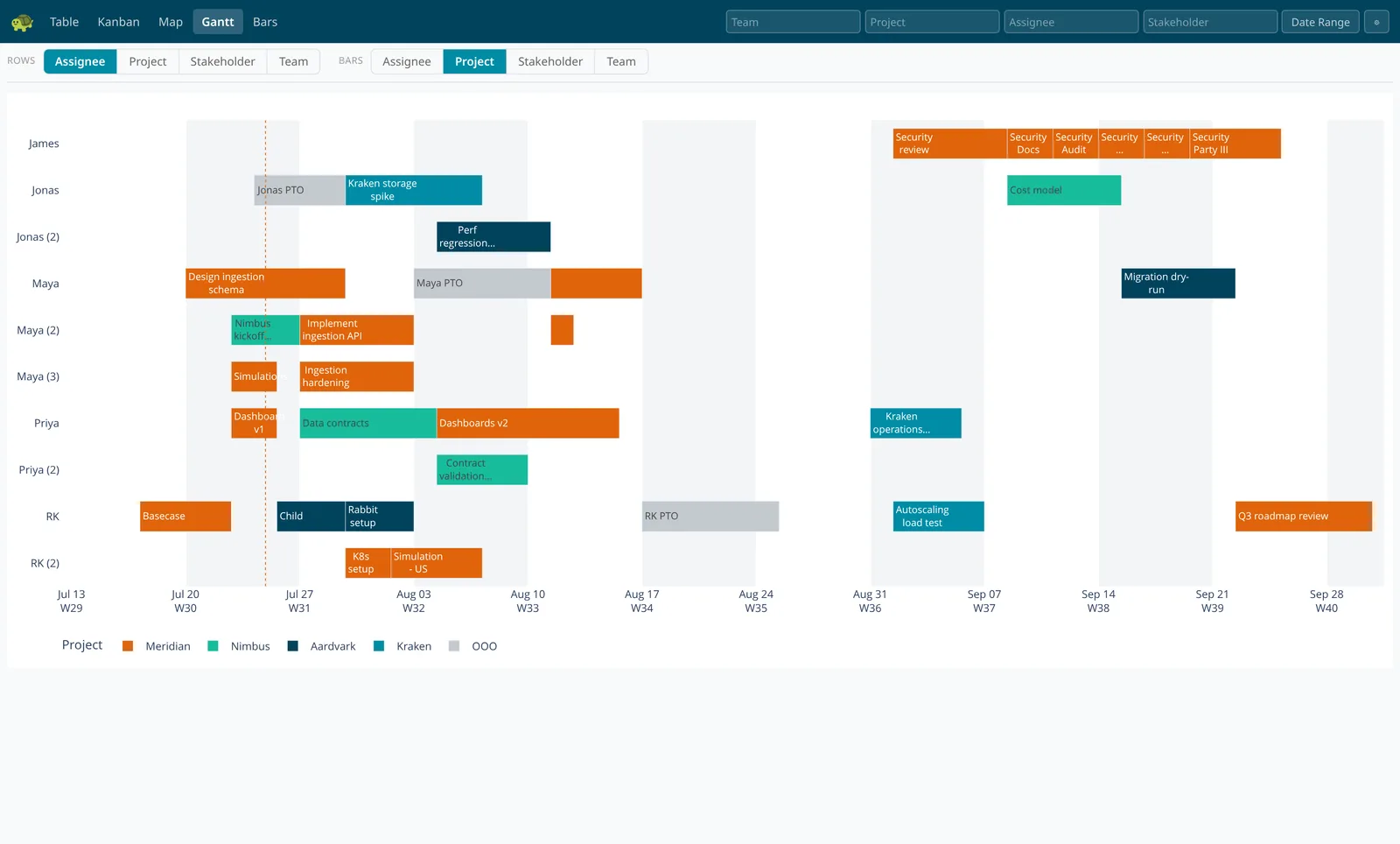
Timelines in working days, so weekends never stretch a bar. Choose what the rows and colours mean — people, projects, stakeholders, or teams — and time off shows as visible gaps.
Bars
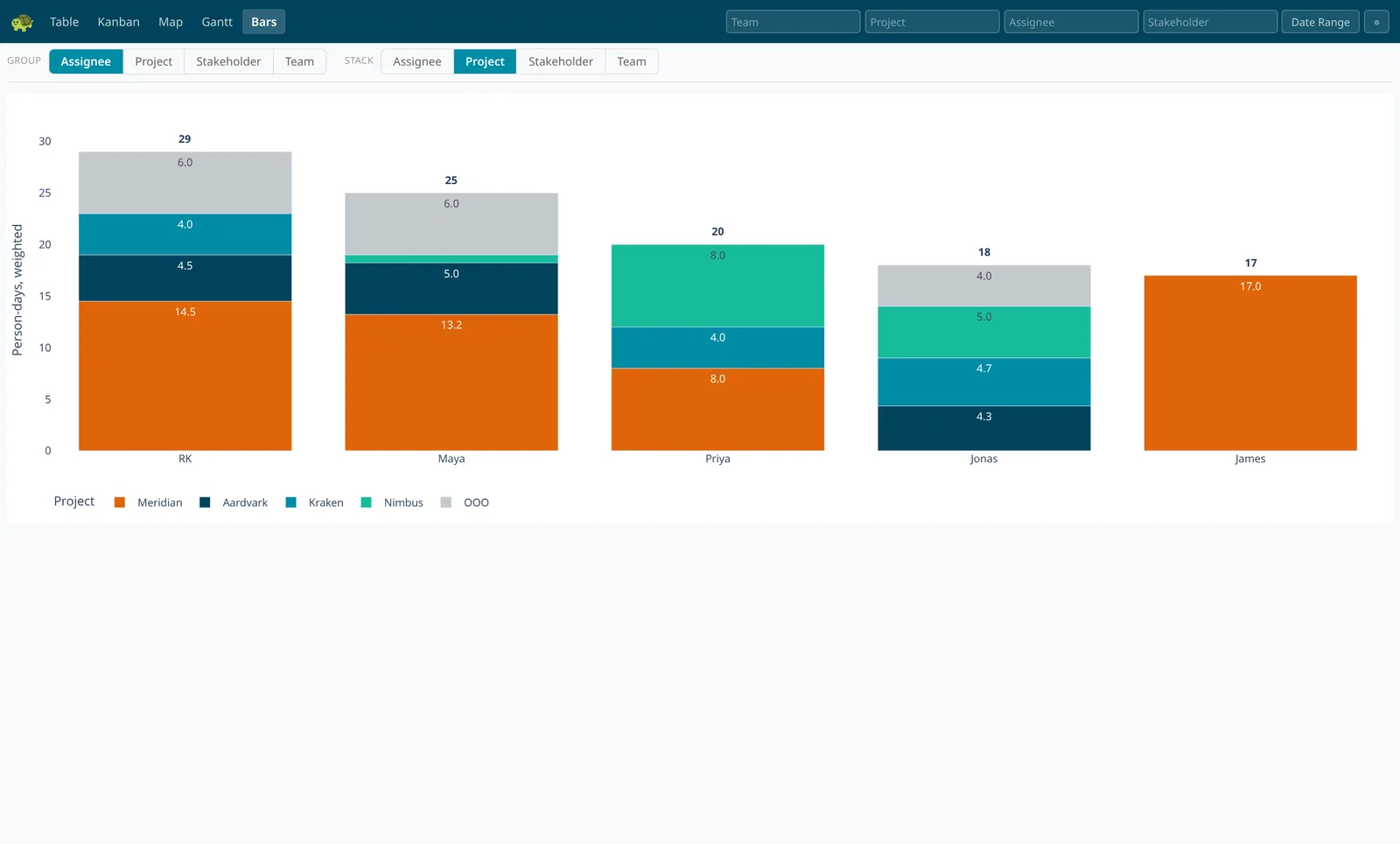
Capacity as stacked bars: group by person or team, stack by project or stakeholder — any combination. Because everyone’s day is counted once, the totals always add up.
Rewind the whole plan
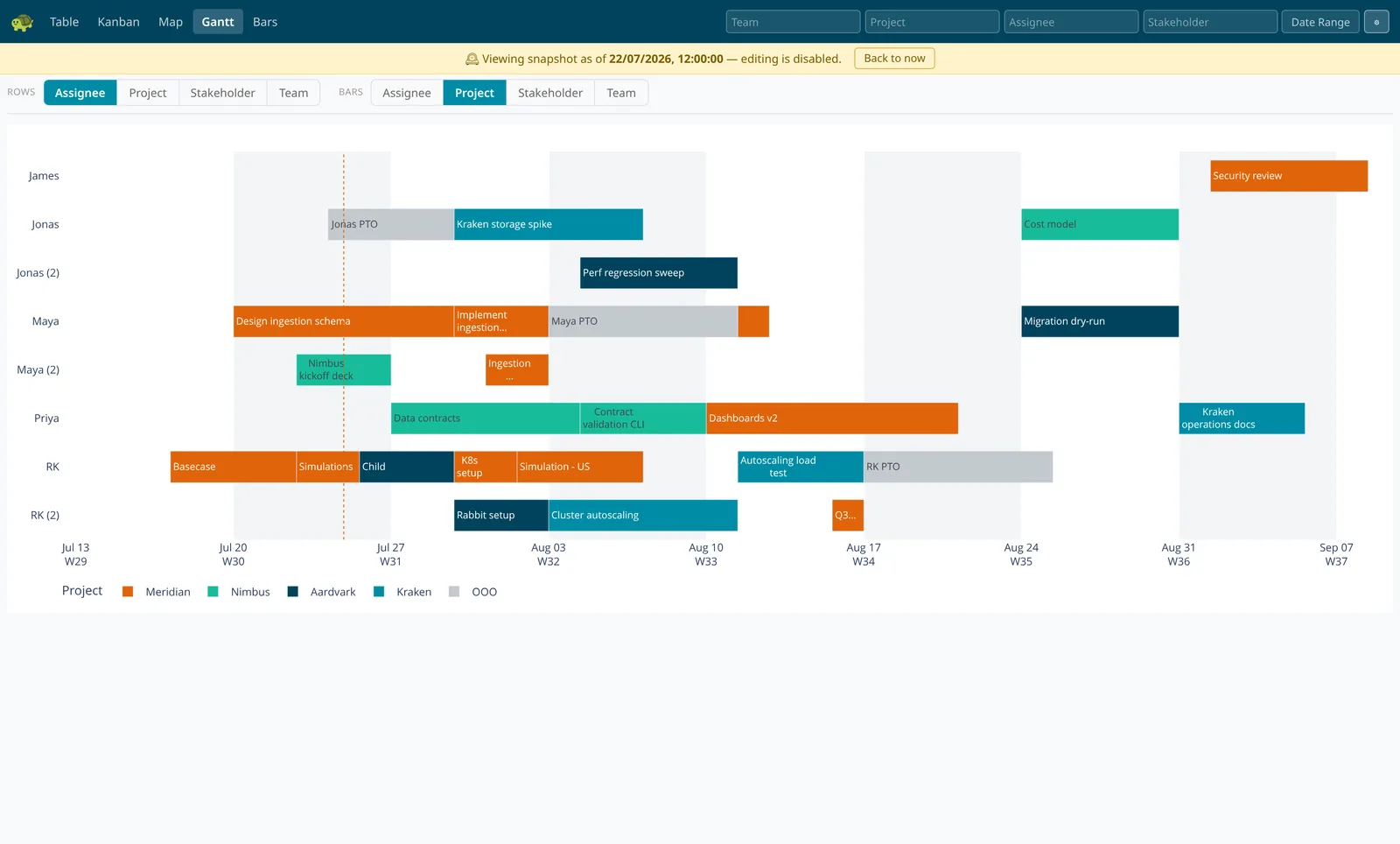
TurtleTask remembers every version of your plan. Pick any past date and the whole app shows the plan exactly as it stood that day — including tasks that have since been deleted.
Ask questions no spreadsheet can answer: "At the start of June, what did July look like?" Put the schedule before a slip next to the schedule after it, and show stakeholders precisely what moved.
Ready for your whole company
Your sign-in, not another password
Log in with the accounts your company already uses — Google, Microsoft, Okta, and other single sign-on providers — or plain email and password. When someone leaves, removing them removes their access. Instantly.
Your data is yours alone
Every organisation's plans, discussions, and history are completely separate from every other's — isolation is built into the foundations, not bolted on.
Every change accounted for
Each edit is recorded with who made it and when. Whether it came from a person or a connected tool, the trail is always there.
Plays well with your other tools
Anything you can do in TurtleTask, your systems can do too — reporting, dashboards, and automations can read and update the plan through a documented interface, with every change traceable to who (or what) made it. And your data is never locked in: export exactly what you're looking at to CSV in one click. See the docs to get started.
Start planning today
Free to get started — set up in a minute, nothing to install.
Get started — free